
Build · Internal
Courseware Creator
Turns source material into structured, narrated lessons.
Challenge
Turning what you know into a lesson someone can actually learn from is instructional design. A good micro-lesson has a shape: it gains attention, states an objective, presents the idea, gives the learner a chance to practice, and checks for understanding. It carries its meaning in narration, defines terms before it uses them, and closes on active recall. Building that, scripting it, recording clean narration, and producing a video to match is a small production effort every single time.
I have spent years building lessons like that by hand. I wanted a way to take source material, usually my own, and produce a complete micro-lesson from it, grounded in the same instructional-design principles, narrated and assessed, while skipping the production line each one normally demands.
Build
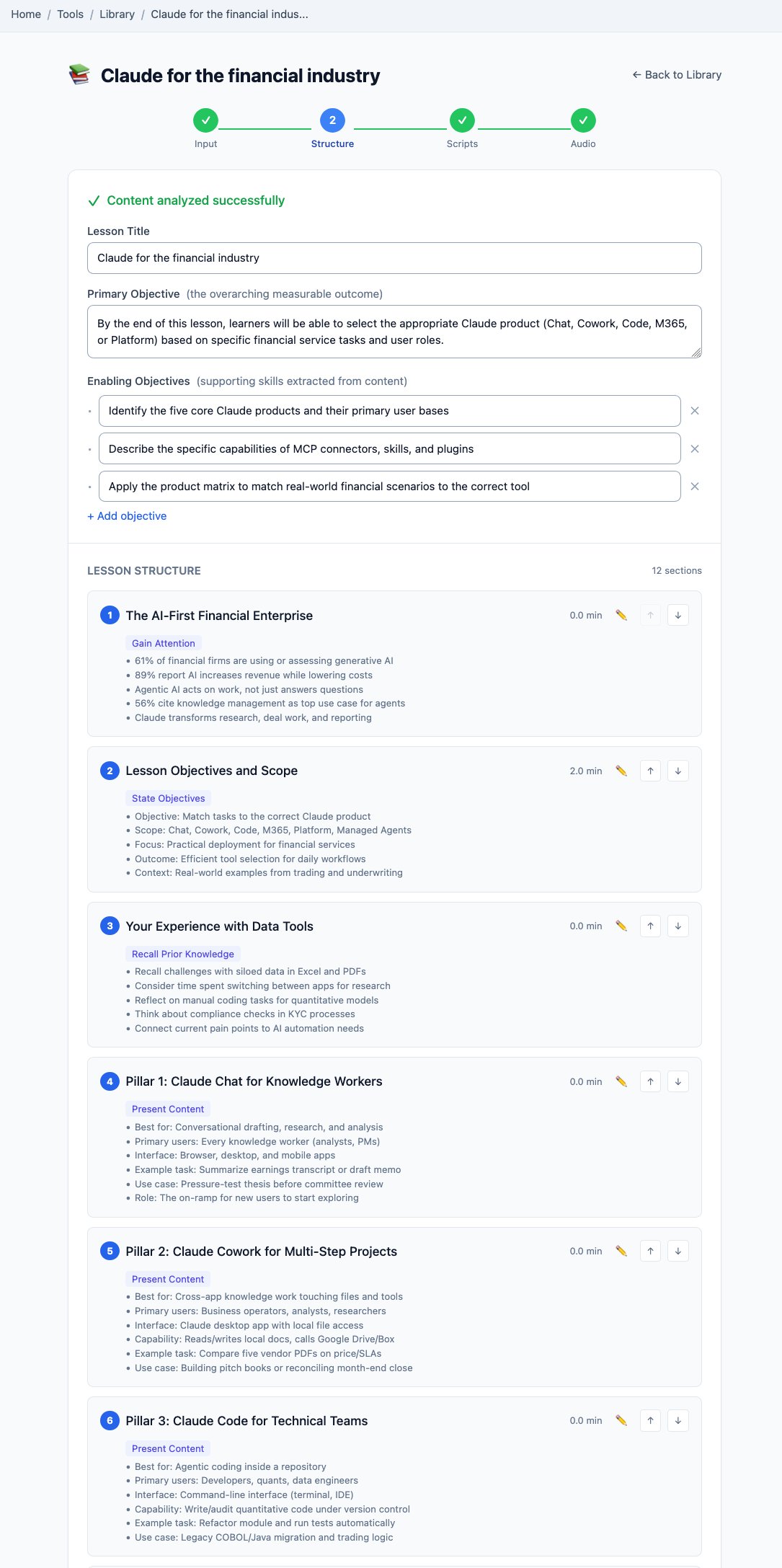
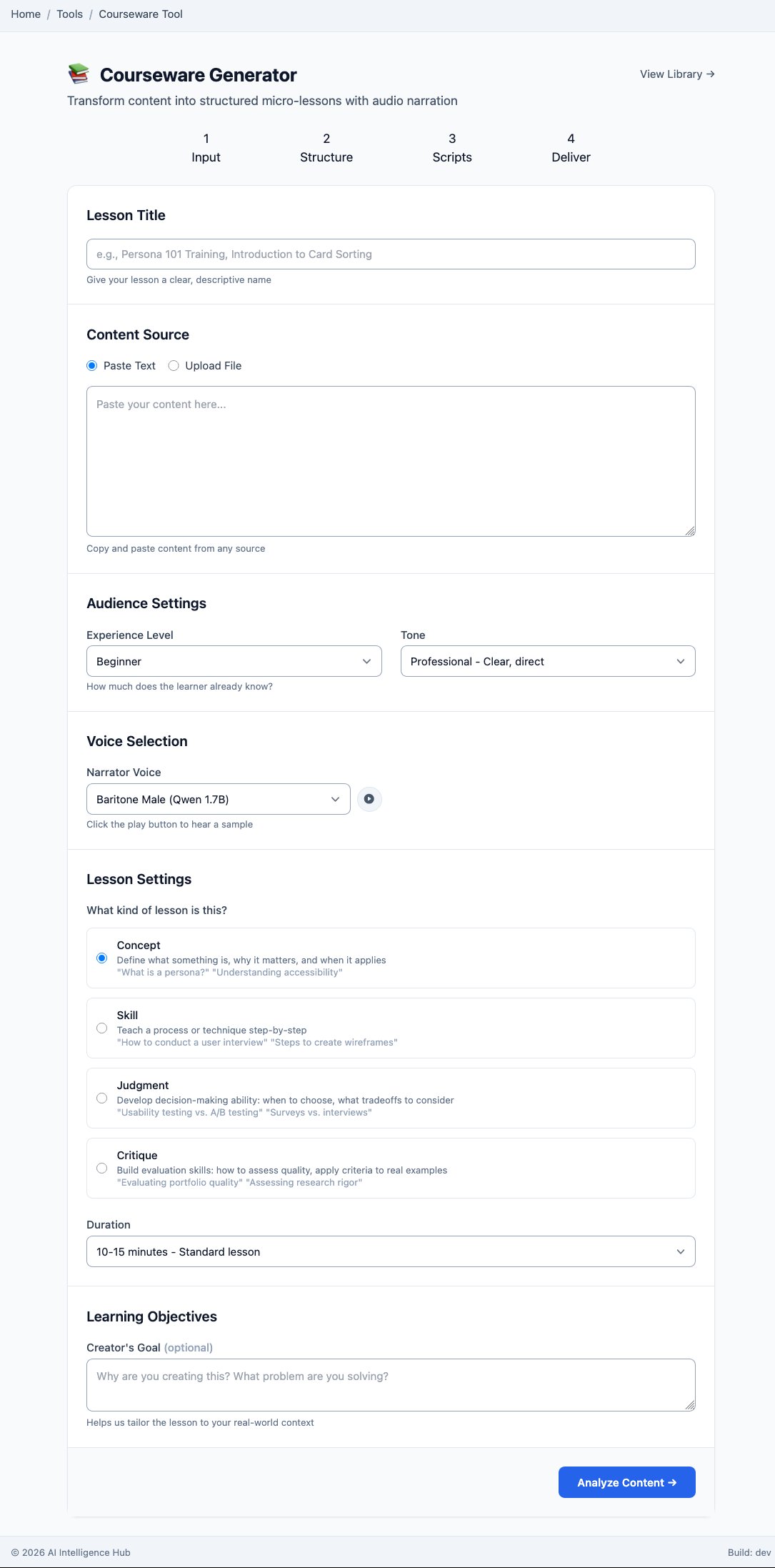
You paste source content or upload a file, set the audience level, tone, narrator voice, lesson type, and target length, and the pipeline takes it from there. It reads the material and builds the outline on Gagné's Nine Events of Instruction, sequencing each lesson from gaining attention through presenting content, eliciting practice, and assessing. Bloom's Taxonomy sets the cognitive level the objectives and questions aim for, so a beginner concept lesson and an advanced judgment lesson are pitched where they belong. From that outline it writes the narration scripts, then renders them to audio in the voice you picked.
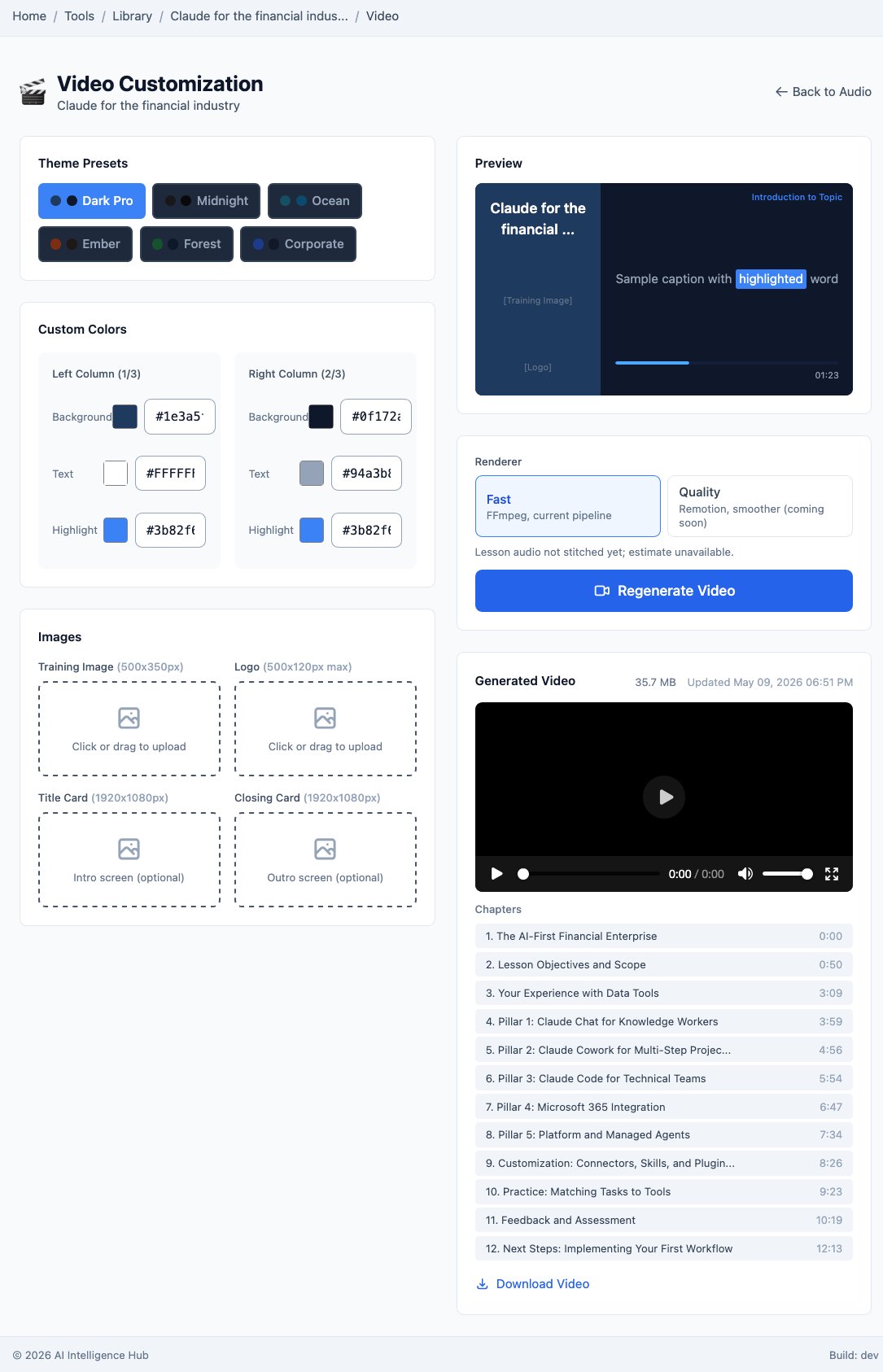
The last stage turns the narrated lesson into video. You style it with theme presets, custom colors, and your own title, logo, and bumper screens, then preview the captioned result before committing. There are two ways to render: a fast pass through FFmpeg when you just need the lesson out, and a more produced version through Remotion when it needs to look finished.
Outcome
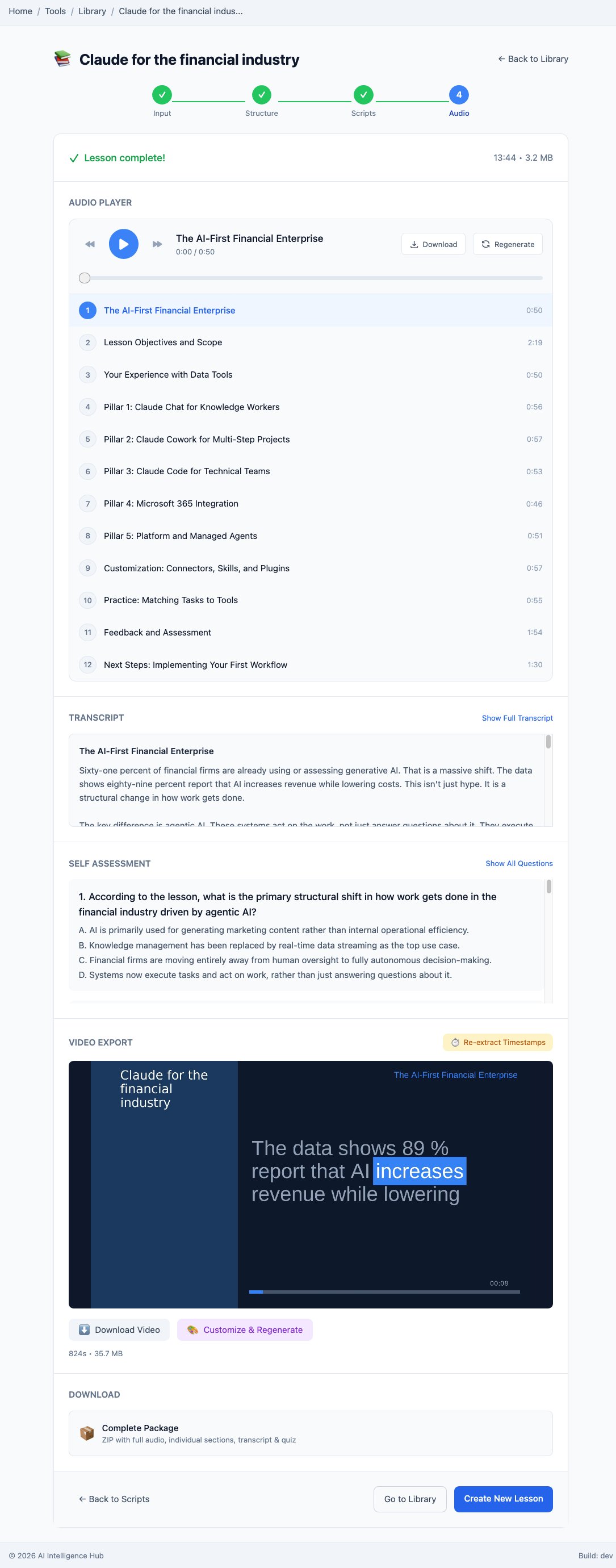
What comes out is a finished lesson: a complete narrated audio track split into timed modules, a full transcript, a self-assessment quiz drawn from the material, and a chaptered video, all bundled into one downloadable package. A paragraph of notes goes in, and a lesson a person can sit with comes out, on whatever device, with recall questions waiting at the end. It is the production team I never had, for the kind of teaching I have spent years doing by hand.
The Stack
Same pattern as the rest of the platform: Claude as pair-programmer for the build, Qwen on local hardware doing the recurring work, structuring the lesson, writing the scripts, drafting the quiz, and synthesizing throughout. Narration is generated by a local text-to-speech voice. Nothing about the source material leaves my hardware.
- Outlines and scripts built on Gagné's Nine Events of Instruction and Bloom's Taxonomy: a gain-attention-to-assessment sequence with objectives and questions pitched to the right cognitive level
- Qwen on local hardware for structure, scripts, and the self-assessment
- Local text-to-speech narration in a selectable voice
- Two video render paths: FFmpeg for speed, Remotion for a more produced result
- Theme presets and custom branding (title, logo, intro and outro screens)
- A complete downloadable package: audio, sections, transcript, quiz, and video
- Mac Mini M4 for development, a dual-GPU Linux server for inference