
Build · Internal
Compliance Checker
Accessibility scanning paired with knowledge-grounded fixes.
Challenge
My work has taken me deep into federal digital projects, including time at 18F and on the U.S. Web Design System, so I knew the workflow I wanted to compress: keep the human judgment, and cut the time spent looking things up and writing the same explanations over and over.
Accessibility evaluation is slow, and most of the slow part is lookup. Automated scanners catch only a fraction of the issues and hand back a wall of violations, each one a criterion number and a terse label with no context and no fix. The rest stays manual: someone opens the WCAG documentation, confirms each failure against the standard, decides how serious it really is, and writes the remediation. The judgment in all of that is where the value lives, and the lookups are a tax on it, one that grows heavier on federal work where Section 508 sets the bar.
Build
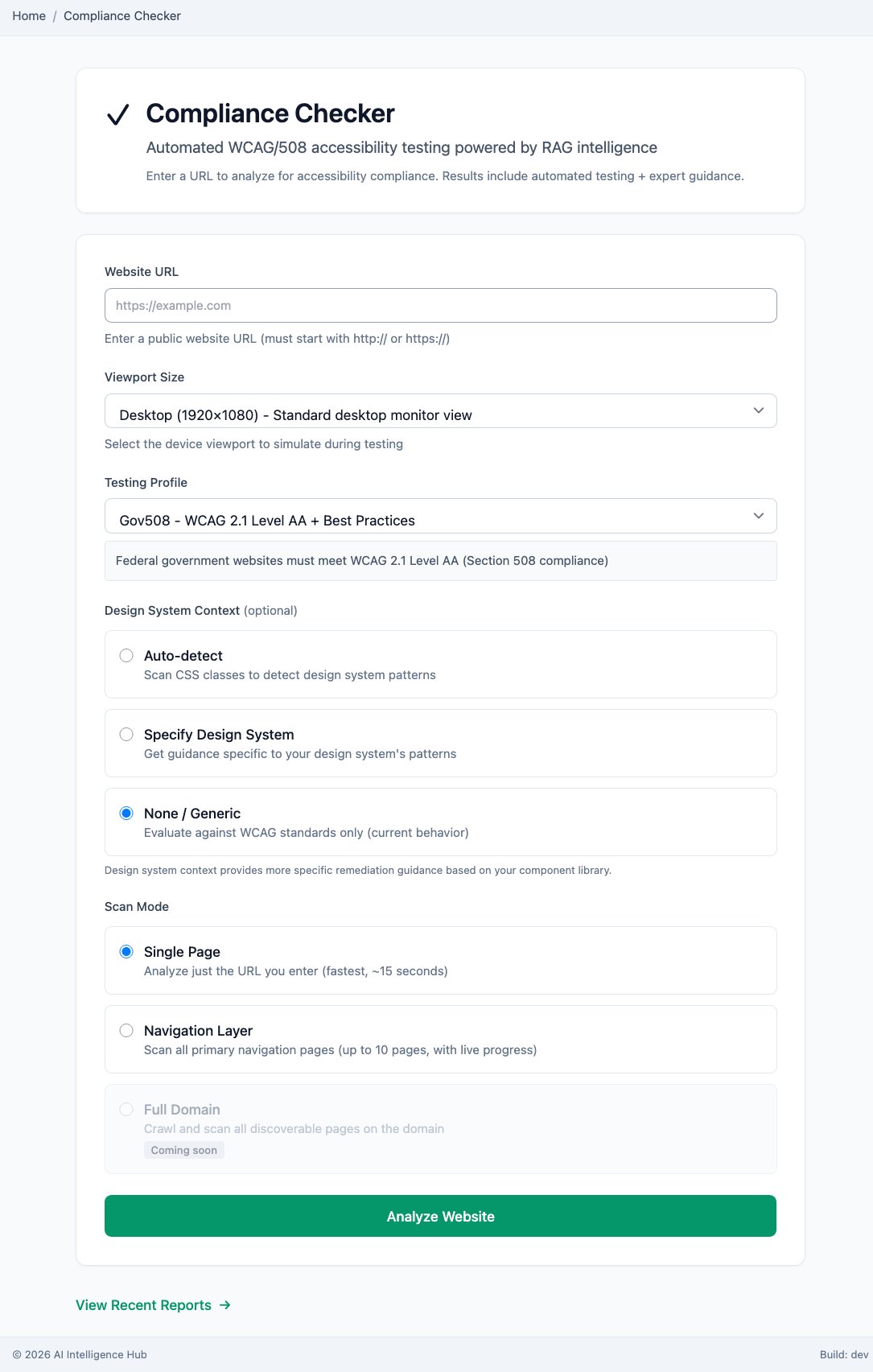
The Compliance Checker takes a URL and runs an automated accessibility pass. You set a viewport, a testing profile (Gov508 maps to WCAG 2.1 Level AA plus best practices), and a scan mode that covers a single page, the navigation layer, or a whole domain. The engine finds the machine-detectable failures and sorts them by severity: Critical, Serious, Moderate, Minor.
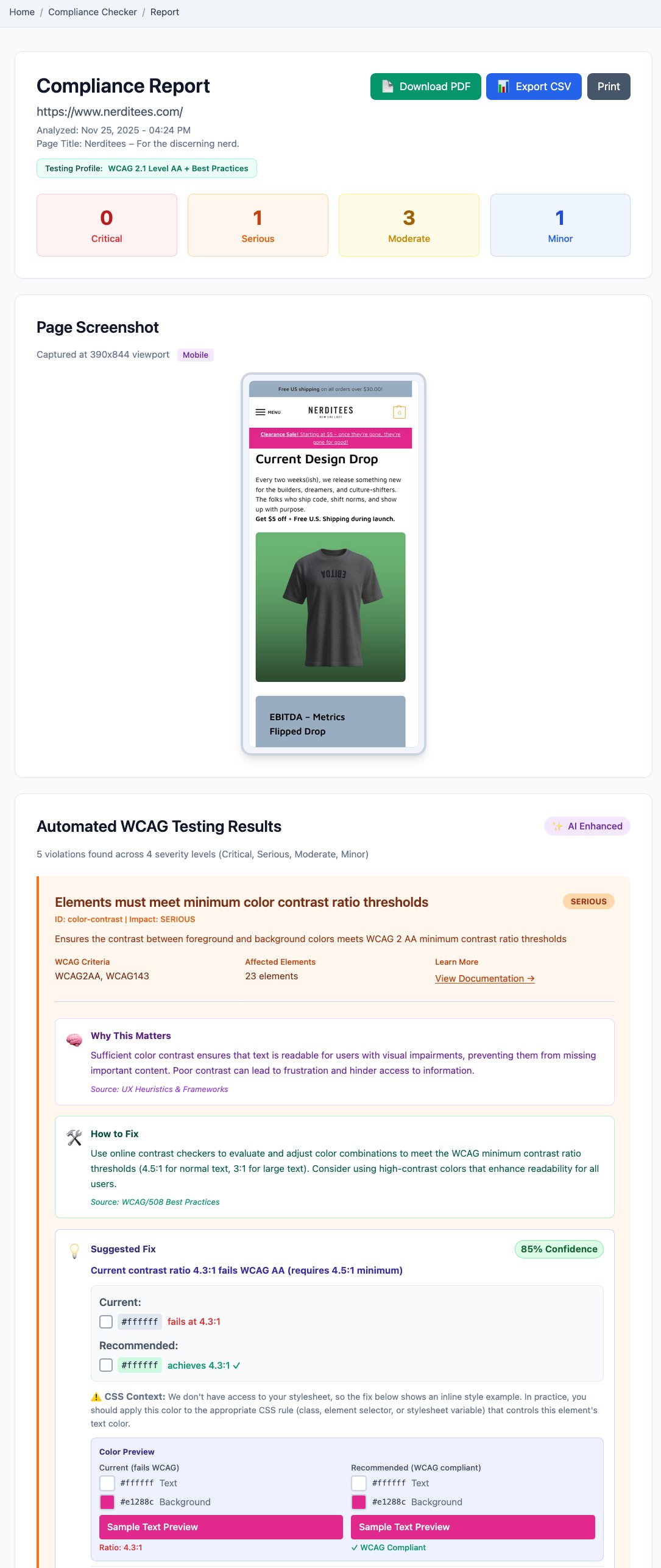
Where it goes past a normal scanner is the fix. Every finding is checked against a compliance knowledge base spanning WCAG, Section 508, and plain-language standards, so each finding arrives with its fix: an explanation of why the issue matters, the criterion behind it, the current state shown against a compliant one (a contrast preview, for example), and the corrected markup. The full set of findings exports to CSV, so a report drops straight into Jira as importable tickets. The model doing that grounding runs on local hardware, so the pages and code I scan never leave it.
Outcome
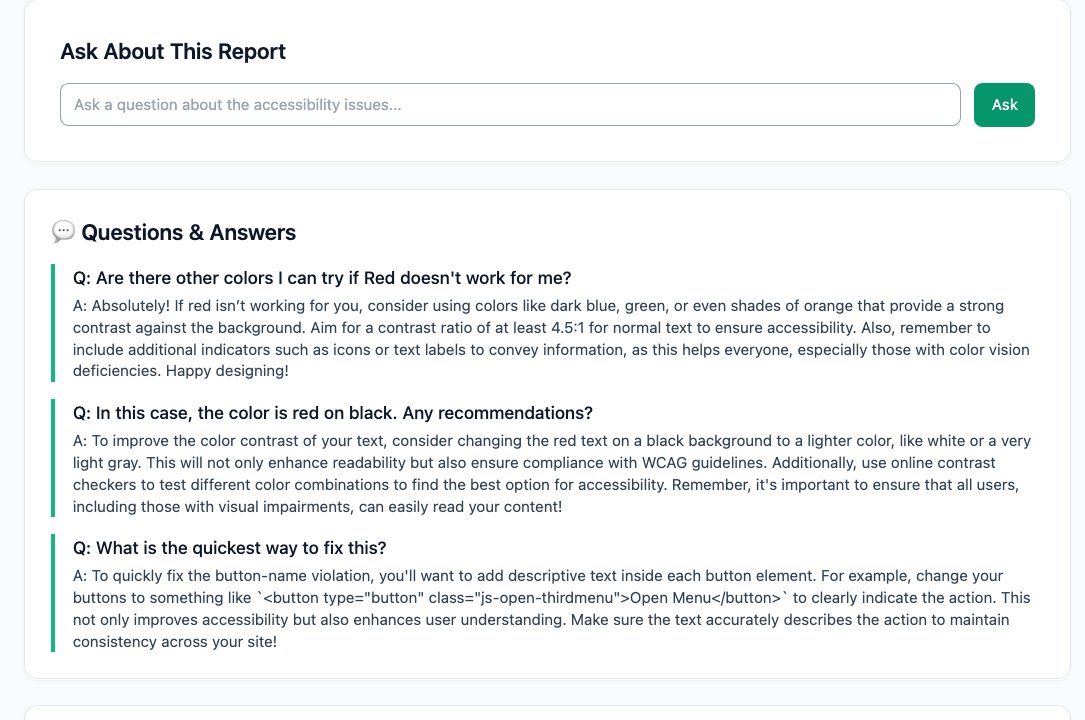
The system generates a thorough report you can act on, instead of a list you have to decode. Findings are ranked by severity, each carrying its WCAG criterion, the reasoning, and a recommended fix you can mark as worked or did not. And because the whole report sits on the knowledge base, you can talk to it: ask why a color fails, what to use instead, or the quickest way to fix a recurring pattern, and the answers are grounded in the standards themselves. A human tester still owns the judgment calls, and some criteria will always need one. It takes the lookup tax off the top so the evaluator spends their time on the calls that require a person.
The Stack
Same pattern as the rest of the platform: Claude as pair-programmer for the hard parts, Qwen on local hardware doing the recurring work, including the grounded explanations, the recommended fixes, and the report conversation. Nothing about the pages or code I scan leaves my hardware.
- Automated accessibility scan across a single page, the navigation layer, or a whole domain
- A compliance knowledge base spanning WCAG, Section 508, and plain-language standards
- Severity-ranked findings with current-versus-compliant previews and corrected markup
- Testing profiles (Gov508 is WCAG 2.1 Level AA plus best practices) and selectable viewports
- Qwen on local hardware for the explanations, fixes, and the question-and-answer over each report
- Mac Mini M4 for development, a dual-GPU Linux server for inference